




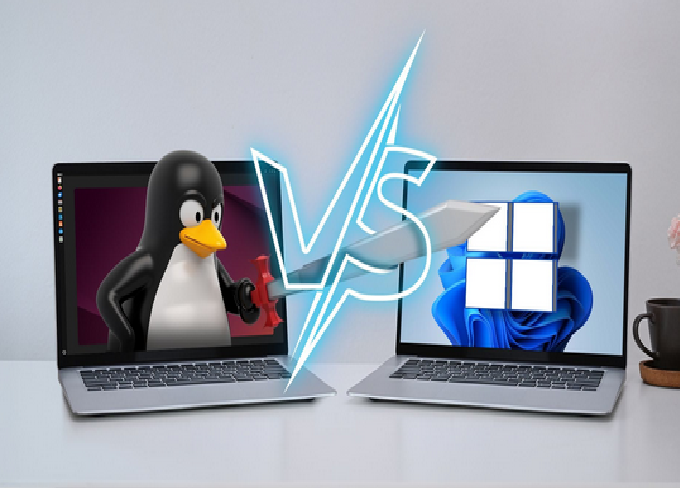
When it comes to choosing an operating system (OS) in 2025, the debate between Linux and Windows remains as strong as ever. Both systems have evolved drastically over the years, improving their performance, security, and user experience. Windows continues to dominate the commercial desktop market, while Linux has carved out a niche among developers, system administrators, and tech enthusiasts.
In this comprehensive article, we will explore the differences between Linux and Windows, discuss their pros and cons, and help you determine which one suits your needs best in 2025.
Understanding the Basics
Before diving into comparisons, it’s important to understand what Linux and Windows actually are and how they differ at the core.
Windows is a proprietary operating system developed by Microsoft. It is widely used on desktops, laptops, and even some servers. Windows provides a graphical interface and a closed-source ecosystem, meaning users cannot modify the underlying system code.
Linux, on the other hand, is an open-source operating system kernel created by Linus Torvalds in 1991. Many distributions (or “distros”) are built around this kernel, such as Ubuntu, Fedora, Debian, and Arch Linux. Unlike Windows, Linux allows anyone to modify, distribute, or customize the code freely.
User Interface and Ease of Use
Windows:
Windows is designed for general users, offering an easy-to-understand graphical interface. The familiar Start Menu, taskbar, and File Explorer make navigation straightforward even for beginners. In 2025, Windows 11 has continued refining its clean design and intuitive user experience.
Linux:
Linux used to be considered complex, but that’s no longer true. Modern distributions such as Ubuntu, Linux Mint, and Zorin OS offer user-friendly interfaces that rival Windows in terms of usability. However, certain distros like Arch or Debian still cater to advanced users who prefer more control and customization.
Verdict:
For absolute beginners, Windows feels more accessible. But for users who enjoy learning and customizing their environment, Linux offers far greater flexibility.
Performance and Speed
Windows:
Windows is feature-rich, but those features often come with performance costs. Background processes, automatic updates, and built-in applications can slow down your system over time. While Windows 11 has optimized performance compared to its predecessors, it still demands more system resources such as RAM and CPU power.
Linux:
Linux is known for being lightweight and efficient. Even on older hardware, Linux distributions can run smoothly with minimal lag. Distros like Lubuntu and Puppy Linux are especially designed for low-end systems. Moreover, Linux gives you full control over which services or programs run in the background, ensuring optimal performance.
Verdict:
For users with older hardware or those who prioritize speed and efficiency, Linux clearly wins.
Security and Privacy
Windows:
Windows systems are more frequently targeted by malware and hackers because of their widespread use. Although Microsoft provides Windows Defender and regular security updates, the closed-source nature of Windows means users must rely entirely on Microsoft for protection. Data collection and telemetry are also ongoing privacy concerns.
Linux:
Security is one of Linux’s strongest advantages. Because of its open-source model, vulnerabilities are quickly identified and patched by the global community. Linux systems are inherently more secure, with limited user privileges by default and fewer malware threats. Furthermore, Linux does not engage in invasive telemetry or data collection.
Verdict:
In 2025, Linux remains the superior choice for security and privacy-conscious users.
Software Availability
Windows:
Windows dominates the commercial software market. Applications like Microsoft Office, Adobe Photoshop, and Autodesk AutoCAD are either exclusive to Windows or perform best on it. Additionally, most games are designed with Windows compatibility in mind due to DirectX support.
Linux:
Linux has made significant progress in software availability. Alternatives such as LibreOffice, GIMP, and Inkscape provide open-source replacements for popular Windows programs. The Steam Proton project has also allowed thousands of Windows games to run on Linux smoothly. However, some professional software and niche applications still lack native Linux support.
Verdict:
Windows wins for commercial and gaming software, while Linux is perfect for open-source users who value freedom over brand names.
Gaming Experience
Windows:
Windows remains the leader in PC gaming. With full support for DirectX 12 Ultimate, anti-cheat systems, and driver optimization, gamers get a consistent and polished experience. Almost all new games release with native Windows support first.
Linux:
Thanks to tools like Proton, Lutris, and Wine, gaming on Linux has drastically improved. In 2025, over 70% of Steam’s top games are playable on Linux. However, certain multiplayer games with anti-cheat restrictions or complex DRM systems may still have compatibility issues.
Verdict:
For hardcore gamers, Windows is still the best choice. But Linux is catching up fast and is now a viable option for casual and even mid-level gaming.
System Customization
Windows:
Customization in Windows is limited. While users can change themes, wallpapers, and taskbar settings, deep system changes are restricted. Microsoft controls many aspects of the operating system’s behavior and interface.
Linux:
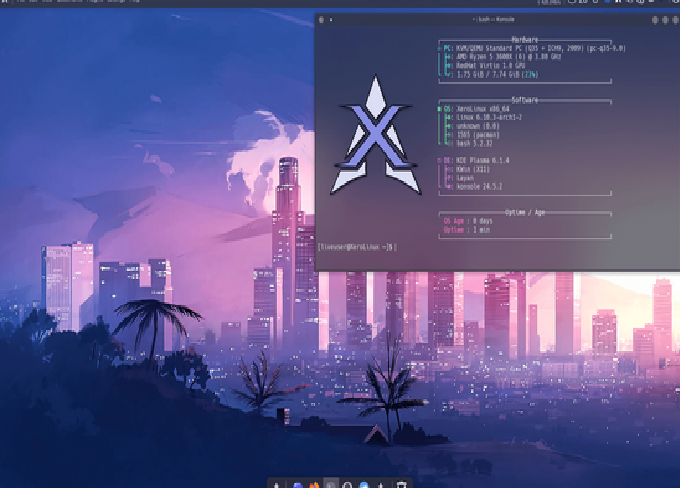
Linux is built for customization. You can modify everything—from the desktop environment (GNOME, KDE, XFCE) to the kernel itself. Whether you want a minimalistic system or a flashy modern interface, Linux gives you full control. Developers and power users particularly love this flexibility.
Verdict:
Linux easily outshines Windows in customization.
Hardware Compatibility
Windows:
Hardware manufacturers typically prioritize Windows support. Drivers for graphics cards, printers, and other peripherals are often optimized for Windows first. This ensures out-of-the-box compatibility and consistent performance.
Linux:
Hardware compatibility in Linux has improved drastically over the years. Most modern devices work flawlessly, but occasionally, users may face issues with specialized hardware or proprietary drivers. The open-source community continues to close this gap by developing universal drivers and improved kernel support.
Verdict:
Windows still has a slight edge due to broader manufacturer support, but Linux is no longer far behind.
Cost and Licensing
Windows:
Windows is not free. Users must purchase a license or a pre-installed version with their PC. Additional paid software like Microsoft Office adds to the overall cost.
Linux:
Linux is completely free and open-source. You can download, install, and distribute it without paying a cent. Even enterprise-grade versions like Ubuntu Server or CentOS Stream are available at no cost, making Linux the economical choice.
Verdict:
Linux is the clear winner for cost efficiency.
Software Updates and Maintenance
Windows:
Windows updates are automatic and frequent, but users often complain about forced restarts and long installation times. While updates improve security, they sometimes introduce new bugs or compatibility issues.
Linux:
In Linux, updates are faster, smaller, and more flexible. You can update the entire system or only specific components at any time. Most Linux updates do not require a restart, making it a preferred option for servers and professionals.
Verdict:
Linux provides a smoother and more efficient update process.
Support and Community
Windows:
Microsoft offers official customer support, documentation, and a large user base. Businesses can rely on professional technical assistance. However, solutions to issues sometimes require contacting Microsoft directly, which can take time.
Linux:
Linux has a massive global community. Whether you’re using Ubuntu, Fedora, or Arch, you’ll find active forums, online documentation, and volunteer support. The open-source community is known for being responsive and helpful.
Verdict:
Windows offers corporate-level support, but Linux wins in terms of community-driven help and open access to solutions.
Business and Enterprise Use
Windows:
Most enterprises rely on Windows due to its compatibility with Microsoft Office Suite, Azure services, and corporate software. Its centralized management through Active Directory and enterprise tools makes it suitable for large organizations.
Linux:
Linux dominates the server market. Over 90% of cloud infrastructure and supercomputers run on Linux. It is stable, secure, and easily customizable for specific workloads. Many companies use Linux for web hosting, software development, and data centers.
Verdict:
For office desktops, Windows remains preferred, but for servers and cloud systems, Linux is unbeatable.
Learning Curve
Windows:
Windows is familiar to most users since it comes pre-installed on most PCs. The learning curve is minimal, and users can quickly adapt to its interface.
Linux:
For newcomers, Linux may seem intimidating at first, especially when using the terminal for commands. However, beginner-friendly distributions like Ubuntu, Mint, and Zorin OS make the learning process much easier. Once users get familiar, Linux proves more empowering and educational.
Verdict:
Windows is easier for beginners, but Linux is better for those eager to learn and grow technically.
System Stability and Reliability
Windows:
Although Windows has improved stability over the years, issues like blue screen errors, software crashes, and forced updates can still occur. Heavy background services can also affect performance.
Linux:
Linux is exceptionally stable and reliable. Many servers run Linux for years without rebooting. Its efficient resource management and modular design prevent system crashes and ensure long-term performance.
Verdict:
Linux is the winner in stability and uptime reliability.
Resource Usage
Windows:
Windows 11 requires at least 4GB RAM and a relatively powerful CPU for smooth operation. Older computers often struggle under its resource-heavy design.
Linux:
Linux can run on almost any hardware configuration, from high-end systems to devices with less than 1GB RAM. Lightweight distros are perfect for reviving old PCs.
Verdict:
Linux is the best choice for efficiency and low resource consumption.
Future Trends (2025 and Beyond)
In 2025, Linux continues expanding its reach beyond developers. More hardware manufacturers are offering Linux-compatible laptops pre-installed with Ubuntu or Fedora. Meanwhile, Microsoft is increasingly integrating Linux tools through Windows Subsystem for Linux (WSL), blurring the line between the two systems.
Linux’s growth in cloud computing, cybersecurity, AI, and IoT makes it essential for professionals in technical fields. Windows, on the other hand, remains dominant in personal computing and gaming, offering unparalleled accessibility for everyday users.
Pros and Cons Summary
| Feature | Windows | Linux |
|---|---|---|
| Ease of Use | Excellent for beginners | Requires learning curve |
| Performance | Heavy on resources | Lightweight and fast |
| Security | Vulnerable to malware | Highly secure |
| Cost | Paid | Free |
| Software | Wide commercial support | Open-source alternatives |
| Gaming | Best for gamers | Improving rapidly |
| Customization | Limited | Extensive |
| Stability | Good | Excellent |
| Privacy | Moderate | Strong |
| Updates | Automatic, sometimes intrusive | Flexible and user-controlled |
Conclusion: Which One Should You Choose in 2025?
The choice between Linux and Windows ultimately depends on your personal or professional needs.
-
Choose Windows if you:
-
Play modern PC games regularly.
-
Depend on Microsoft Office, Adobe Suite, or other commercial tools.
-
Want an easy, plug-and-play experience with minimal setup.
-
-
Choose Linux if you:
-
Value privacy, security, and open-source freedom.
-
Prefer customizing every part of your system.
-
Use your computer for programming, networking, or server management.
-
Want a free, lightweight, and efficient system.
-
In 2025, both Linux and Windows have their place in the digital ecosystem. Windows remains the go-to OS for mainstream users and gamers, while Linux continues to shine for professionals, developers, and privacy advocates.