


Linux in 2025 is healthier and more diverse than ever. Whether you want a polished desktop that “just works”, a lean system for old hardware, a rolling-release playground, or a hardened server distro, there’s a strong candidate. Below we’ll go through the best picks for different use-cases, explain why each one shines in 2025, and give practical tips for who should use each. This guide balances stability, hardware support, performance, and future-proofing — so you can choose the right distro with confidence.
Quick Summary — One-Line Picks
-
Ubuntu (24.04 LTS) — Best overall desktop for most users who want stability and software availability.
-
Fedora — Bleeding-edge desktop tech with great GNOME integration; ideal for developers and enthusiasts.
-
Linux Mint — Best for ex-Windows users and older hardware; focused on usability and polish.
-
Pop!_OS — Excellent for creative pros and gamers; optimized for performance and workflow.
-
Manjaro / Arch — For power users who want a rolling release and the latest packages.
-
Debian Stable — The go-to for ultimate stability and servers.
-
AlmaLinux / Rocky Linux — RHEL-compatible server replacements for enterprise and production.
-
Kali / Parrot — Security testing and pentesting; use only for legitimate testing.
-
Arch / Gentoo / Source-based — For tinkerers who love full control.
Why Distribution Choice Still Matters in 2025
At a glance, “Linux is Linux” — but small differences matter. Distros package different kernels, default desktops, package formats (DEB, RPM, pacman), update cadences, and community support. In 2025 we also see fragmentation around packaging (Flatpak, Snap, AppImage), Wayland maturity, and CPU-specific optimizations. Your use-case (daily desktop, old laptop, gaming, server, embedded) should steer the choice more than hype.
1) Ubuntu 24.04 LTS — The Dependable Default for Most Users
Why choose it: Ubuntu’s LTS releases are the safest bet for users who want long-term security updates, wide hardware support (drivers, firmware), and the broadest third-party app availability (Steam, Zoom, Docker). Ubuntu 24.04 LTS continues to receive backported fixes and long-term maintenance, making it suitable for desktops and work machines where you don’t want surprises. If you prefer a Debian base but want newer desktop stacks and official vendor support, Ubuntu LTS is the comfortable middle ground.
Who it’s for: general desktop users, developers who want stable tooling, office machines, and beginners.
Tips: Use the official LTS with the GNOME desktop or pick Kubuntu/Xubuntu if you prefer KDE or a lighter DE. Enable the Livepatch service for kernel security without reboots on critical systems.
2) Fedora — The Place for the Freshest Desktop Tech
Why choose it: Fedora pushes new desktop features (Wayland, GNOME improvements) and modern toolchains faster than many other major distros, while still being stable enough for daily use. Fedora Workstation is tightly integrated with GNOME and upstream open-source projects. Fedora also offers spins (KDE, LXQt, etc.), and editions for servers, IoT, and cloud. For developers who want new compilers, runtimes, and container tooling early, Fedora is a top pick.
Who it’s for: Linux-savvy desktop users, GNOME fans, developers who want new libraries and kernels quickly.
Tips: Fedora uses RPM and DNF; if you run into apps packaged as DEBs, Flatpak is well-supported on Fedora.
3) Linux Mint — The Comfortable, Windows-Friendly Choice
Why choose it: Linux Mint focuses on a low-friction user experience. Its Cinnamon desktop is familiar for users migrating from Windows, and Mint maintains a conservative base for stability and responsiveness. Mint remains an excellent choice for older laptops where modern GNOME might feel heavy. Recent Mint updates in the 22.x/21.x series keep polish and compatibility without aggressive changes.
Who it’s for: ex-Windows users, users with older hardware, anyone who wants an easy, curated desktop experience.
Tips: Mint’s Update Manager is beginner-friendly; keep backups, and upgrade between LTS-type releases only when comfortable.
4) Pop!_OS — The Creative and Gaming-Focused Desktop
Why choose it: Pop!_OS (developed by System76) blends performance-oriented defaults, GPU switching, and workflow features aimed at creative professionals and gamers. Its installer and recovery options are polished, and System76 continuously optimizes for laptop hardware. If gaming and GPU workload (CUDA/ROCm) are priorities, Pop!_OS delivers an out-of-the-box experience ideal for creators.
Who it’s for: gamers, machine-learning hobbyists, creators who want quick setup and hardware-first defaults.
Tips: Pop integrates with System76 power tools and supports hybrid GPU switching; it’s also easy to set up Steam and Flatpaks.
5) Manjaro (and Arch) — Rolling Releases for Power Users
Why choose it: If you want the latest packages and a rolling-release model, Arch and Arch-based Manjaro are top choices. Manjaro adds user-friendly installers, curated stability layers, and GUI helpers while keeping the Arch ecosystem’s bleeding-edge appeal. For users who like to control every package and configuration, Arch’s documentation (the Arch Wiki) remains unparalleled.
Who it’s for: experienced users who want the newest software without reinstalls.
Tips: Rolling releases demand occasional maintenance and attention to package changes. Use Timeshift and package hold mechanisms before large updates.
6) Debian Stable — The Ultra-Stable Foundation
Why choose it: Debian Stable is the bedrock of many distributions (including Ubuntu). It trades newer packages for rock-solid reliability and predictable system behavior. It’s an excellent server OS or desktop for users who prioritize uptime and compatibility over the latest features.
Who it’s for: production servers, conservative desktops, and anyone who values stability above bleeding-edge features.
Tips: For newer desktop apps on Debian Stable, use Flatpak or backports selectively.
7) AlmaLinux & Rocky Linux — RHEL-Compatible Servers Without the Lock-In
Why choose it: For enterprise servers in 2025, RHEL compatibility remains important. AlmaLinux and Rocky Linux provide community-driven, downstream RHEL-compatible releases that are safe choices for production workloads and enterprise stacks. If you need long-term stability, SELinux support, and mature enterprise tooling, these distros fill the gap left by changes in vendor licensing.
Who it’s for: system administrators, enterprise deployments, VPS/hosting nodes.
Tips: Use these for container hosts or database servers where predictable updates and certified stacks matter.
8) Specialized Picks: Kali, Parrot, and Clear Linux Note
-
Kali / Parrot — These are the standard tools for security testing and forensics. Use them responsibly and legally, for pen-testing or learning in a lab.
-
Clear Linux — Once praised for aggressive performance tuning, Clear Linux has been discontinued by Intel in 2025. If you used Clear Linux for workloads, migrate to an actively maintained distro and consider performance-tuned alternatives.
9) Choosing by Use-Case — Practical Recommendations
-
Old laptop or low-RAM machines: Linux Mint Xfce, Xubuntu, Lubuntu, or antiX.
-
Gaming / multimedia: Pop!_OS or Ubuntu (with proprietary GPU drivers), plus Steam and Proton.
-
Development (web, cloud, containers): Fedora, Ubuntu LTS, or Arch-based systems for newer languages.
-
Servers & production: Debian Stable or AlmaLinux/Rocky depending on RHEL compatibility.
-
Learning Linux internals: Arch Linux or Gentoo.
-
Privacy-focused / Desktop sandboxing: Fedora Silverblue or openSUSE MicroOS.
10) Packaging, Sandboxing and App Distribution in 2025
2025 continues to cement a multi-format ecosystem: native packages (DEB/RPM) remain primary, but Flatpak and containerized apps are mainstream for desktops, and container images (OCI/Docker) dominate servers. Immutable or transactional systems (Fedora Silverblue, openSUSE MicroOS) are increasingly popular for stable desktops or kiosk-type deployments. If you care about app isolation or want to avoid “dependency hell”, prefer Flatpak or containers for desktop apps and Docker/Podman for services.
11) Hardware Compatibility and Driver Considerations
Most major distros in 2025 ship modern kernels and firmware, improving compatibility with new laptops. If you have proprietary GPU hardware (NVIDIA), Ubuntu and Pop!_OS provide the easiest path to getting drivers and gaming stacks installed. Fedora tends to default to open drivers but supports RPM Fusion repositories for proprietary packages. Always check a distro’s support for your machine (Wi-Fi, fingerprint readers, GPU) before committing to a full install.
12) How to Evaluate a Distro Before Committing
-
Try a live USB — boot it and test suspend/resume, Wi-Fi, audio, and display scaling.
-
Check update cadence — LTS vs interim vs rolling; pick per your maintenance tolerance.
-
Inspect software availability — confirm your workflow tools (Steam, IDEs, browsers) are supported.
-
Read recent release notes — active development indicates a healthy project.
-
Back up first — always make a full image before switching OSes.
13) Migration Tips (Moving from Windows / macOS)
-
File system: Use an external drive to copy your important files.
-
Email / browser: Sync bookmarks and export mail if needed.
-
Fonts & drivers: Pre-download GPU drivers or fonts if required.
-
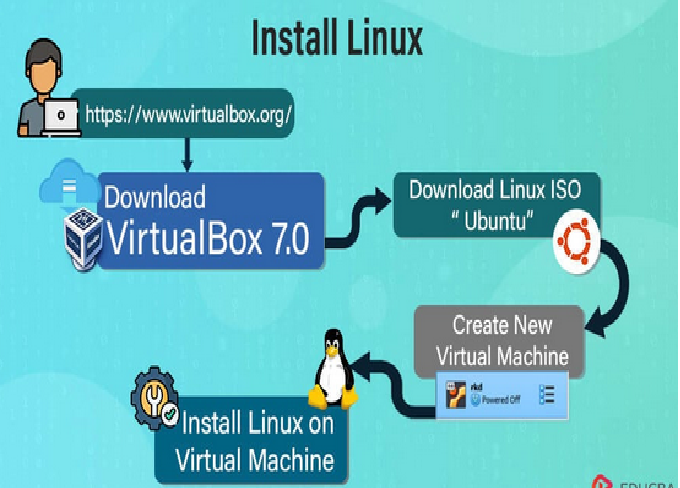
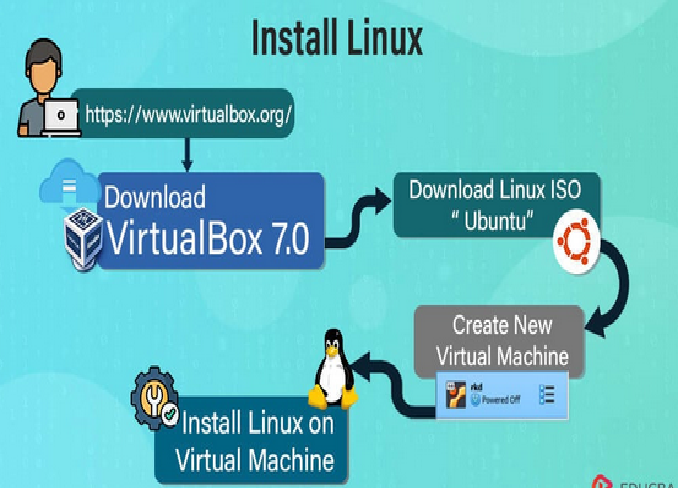
Dual-boot safely: Shrink Windows partition and install alongside it, or use a virtual machine first.
14) The Community Factor — Why It Matters
A distro’s community impacts how quickly you’ll find help or fixes. Ubuntu, Fedora, Debian, Manjaro/Arch, and Linux Mint all have large communities and excellent documentation. If you value hand-holding and polished tools, Ubuntu and Mint are beginner-friendly. For deep technical issues or advanced setups, Arch’s Wiki and forums remain unmatched.
15) Looking Forward — Distro Trends to Watch in 2025
-
Immutable desktops and atomic updates are gaining momentum for reliability.
-
Container-first workflows continue to dominate developer setups.
-
Package format convergence — Flatpak and AppImage are becoming universal desktop solutions.
-
Performance tuning — even though vendor-backed projects may discontinue, their optimizations often get merged upstream.
Final Verdict — Which One Should You Pick?
-
If you want a reliable, low-effort daily driver: Ubuntu 24.04 LTS
-
If you want cutting-edge desktop tech and the newest toolchains: Fedora
-
If you’re migrating from Windows or have older hardware: Linux Mint
-
If you love tinkering and rolling updates: Manjaro / Arch
-
For servers and enterprise stability: Debian Stable, AlmaLinux, or Rocky Linux
-
For niche or security work: Kali or Parrot