


Linux is known for its flexibility and customization. One of its greatest strengths lies in its variety of desktop environments (DEs) — graphical user interfaces that define how you interact with your system. Unlike Windows or macOS, Linux users can choose from multiple desktop environments to tailor their computing experience. Each DE offers a unique combination of design, performance, usability, and features.
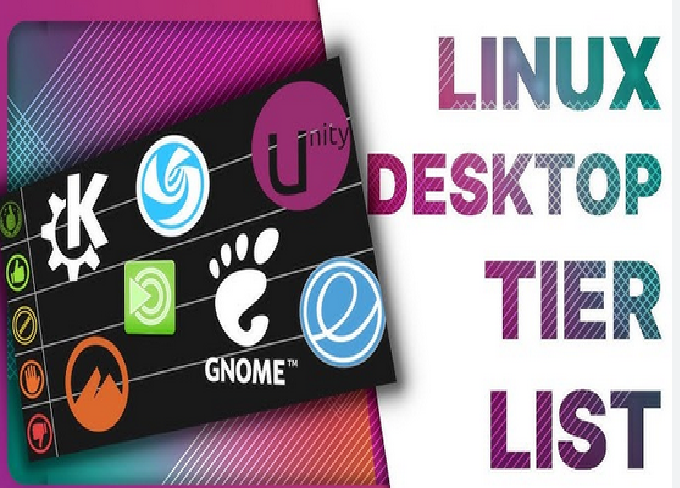
In this detailed guide, we’ll compare the top 5 Linux desktop environments in 2025 — GNOME, KDE Plasma, XFCE, Cinnamon, and MATE. Whether you’re a beginner or a power user, this comparison will help you find the perfect desktop for your workflow.
1. GNOME – The Modern and Streamlined Experience
Overview:
GNOME (GNU Network Object Model Environment) is one of the most popular and widely used desktop environments in the Linux world. It’s the default DE for major distributions like Ubuntu, Fedora, and Debian. GNOME is designed to be modern, minimalistic, and user-friendly, focusing on productivity through simplicity.
Key Features:
-
Clean, modern interface: Uses the GNOME Shell, which emphasizes focus and distraction-free work.
-
Dynamic Workspaces: Allows seamless organization of open windows into multiple workspaces.
-
Search and Activities Overview: Provides a unified search bar to find files, apps, and system settings quickly.
-
Wayland Support: GNOME is leading the transition to Wayland, offering smoother graphics and better security.
-
Flatpak and Software Integration: The GNOME Software Center integrates tightly with Flatpak and distro repositories.
Performance:
GNOME is known for its heavy resource usage compared to lightweight environments. However, recent versions (like GNOME 46+) have improved performance significantly. It now consumes less memory and CPU power than older versions, making it smoother even on mid-range hardware.
Customization:
While GNOME aims for simplicity, it limits direct customization. You’ll need to use GNOME Tweaks or install extensions for themes, dock adjustments, and other personalization options.
Best For:
Users who prefer a modern, elegant, and minimalistic desktop similar to macOS or Chrome OS.
Pros:
-
Modern and clean UI
-
Great productivity tools
-
Consistent user experience
-
Excellent support in major distributions
Cons:
-
Heavier on system resources
-
Limited out-of-the-box customization
2. KDE Plasma – The King of Customization
Overview:
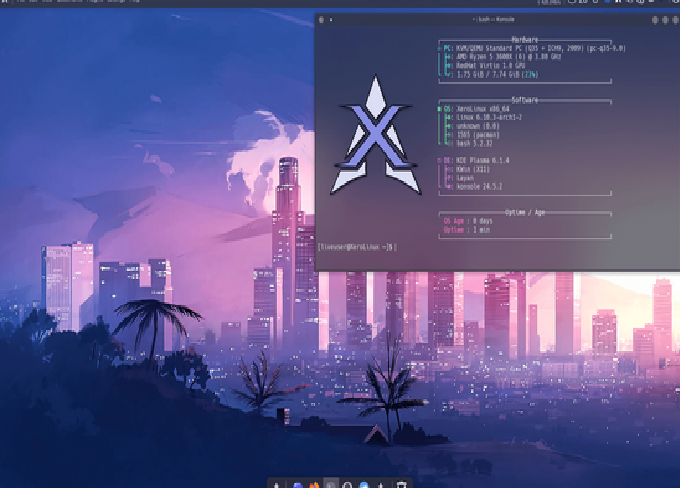
KDE Plasma is a powerhouse desktop environment known for its stunning visuals and deep customization. It’s fast, feature-rich, and highly adaptable — allowing you to make it look like Windows, macOS, or something entirely unique. KDE is used by distributions such as Kubuntu, openSUSE, and Fedora KDE Spin.
Key Features:
-
Highly Customizable: From widgets to window effects, nearly every element can be adjusted.
-
Plasma Widgets: Add clocks, weather, system monitors, and more to your desktop.
-
KDE Connect: Seamlessly syncs your phone with your desktop to transfer files or control media.
-
Discover Software Center: Simplifies software installation through Flatpak, Snap, or distro packages.
-
Advanced Settings: Provides detailed system settings for power users.
Performance:
KDE Plasma has undergone massive optimization in recent years. Despite being feature-rich, it’s now lighter than GNOME, using fewer system resources while offering more functionality. It runs smoothly even on older systems.
Customization:
KDE is unmatched in customization. You can modify everything — themes, icons, fonts, window behavior, animations, and desktop layout. With a little tweaking, you can make KDE resemble any operating system.
Best For:
Users who love tweaking their systems, or want both power and beauty in one environment.
Pros:
-
Extremely customizable
-
Lightweight despite rich features
-
Advanced integration with mobile devices
-
Vibrant and modern interface
Cons:
-
Overwhelming for beginners
-
Too many settings can cause confusion
3. XFCE – The Lightweight and Reliable Workhorse
Overview:
If you want a fast and resource-efficient desktop that runs smoothly on older hardware, XFCE is the go-to option. It’s been around for decades, known for its stability, speed, and simplicity. Distributions like Xubuntu, Manjaro XFCE, and MX Linux feature this DE.
Key Features:
-
Lightweight and Fast: Designed for low memory usage and high responsiveness.
-
Simple Interface: Classic layout with a top or bottom panel and an application menu.
-
Highly Stable: XFCE is one of the most stable desktop environments, with minimal bugs.
-
Customizable Panels: Easily rearrange widgets, launchers, and menus.
-
Thunar File Manager: Fast and efficient file management tool.
Performance:
XFCE excels in performance — even on computers with as little as 1GB of RAM. It boots quickly and remains smooth under heavy workloads. This makes it perfect for older laptops and low-power systems like Raspberry Pi.
Customization:
XFCE strikes a balance between simplicity and customization. It allows you to change themes, icons, and panels without complex configuration tools. It may not be as flashy as KDE, but it’s practical and efficient.
Best For:
Users who prioritize speed, stability, and low resource usage, or those using older hardware.
Pros:
-
Extremely lightweight
-
Very stable and reliable
-
Customizable enough for daily use
-
Ideal for low-end machines
Cons:
-
Dated interface compared to GNOME or KDE
-
Fewer advanced features
4. Cinnamon – The Perfect Blend of Modern and Traditional
Overview:
Cinnamon is a sleek, easy-to-use desktop environment created by the Linux Mint team. It was originally developed as a response to GNOME’s shift towards minimalism. Cinnamon combines the familiarity of traditional desktops with modern design elements and usability improvements.
Key Features:
-
Familiar Layout: Start menu, taskbar, and system tray similar to Windows, making it great for beginners.
-
Smooth Animations: Visually appealing transitions without excessive effects.
-
Mint Menu: Powerful application launcher with built-in search and category organization.
-
Applets and Desklets: Add small tools like weather, system monitor, or clocks directly to your desktop.
-
Nemo File Manager: Feature-rich and user-friendly.
Performance:
Cinnamon offers a good balance between performance and appearance. It’s not as lightweight as XFCE, but it’s faster than GNOME. With mid-range hardware, Cinnamon runs smoothly and responsively.
Customization:
Cinnamon provides robust customization without being overwhelming. You can easily change themes, applets, window behavior, and hot corners from the settings manager.
Best For:
Users switching from Windows to Linux, or those who prefer a classic desktop layout.
Pros:
-
Intuitive and familiar interface
-
Great for beginners
-
Attractive visuals with solid performance
-
Strong integration with Linux Mint
Cons:
-
Slightly heavier than XFCE or MATE
-
Fewer advanced customization options than KDE
5. MATE – Classic Linux Experience Reimagined
Overview:
MATE is a continuation of the old GNOME 2 desktop. It’s designed to offer a traditional, simple, and stable user experience while being lightweight. Many distributions such as Ubuntu MATE, Fedora MATE-Compiz, and Debian MATE offer this environment.
Key Features:
-
Classic Desktop Layout: Traditional panels, menus, and taskbars.
-
Lightweight: Uses fewer resources than GNOME and Cinnamon.
-
Caja File Manager: A simple yet capable file manager.
-
Configurable Panels: Add applets, shortcuts, and system monitors easily.
-
Compiz Effects: Optional 3D desktop effects for visual flair.
Performance:
MATE is known for its excellent performance and efficiency. It runs effortlessly on old or new hardware, consuming minimal RAM and CPU resources. It’s ideal for users who prefer a classic interface without sacrificing responsiveness.
Customization:
While MATE isn’t as customizable as KDE, it allows enough flexibility to modify themes, panels, and desktop behavior. It provides a nostalgic GNOME 2 feel with modern stability.
Best For:
Users who prefer traditional desktops and lightweight performance.
Pros:
-
Lightweight and stable
-
Classic and familiar look
-
Ideal for older computers
-
Low learning curve
Cons:
-
Outdated appearance compared to newer environments
-
Fewer advanced features
Comparison Table: Top 5 Linux Desktop Environments (2025)
| Feature / DE | GNOME | KDE Plasma | XFCE | Cinnamon | MATE |
|---|---|---|---|---|---|
| Performance | Moderate | Excellent | Excellent | Good | Excellent |
| Customization | Limited (via extensions) | Extensive | Moderate | Moderate | Moderate |
| Ease of Use | High | Medium | High | Very High | High |
| Visual Appeal | Modern & Minimal | Stunning & Dynamic | Simple & Classic | Modern & Familiar | Traditional |
| System Resource Usage | Medium-High | Low-Medium | Very Low | Medium | Low |
| Best For | Modern UI lovers | Power users | Old PCs | Windows users | Classic desktop fans |
Choosing the Right Desktop Environment for You
Each Linux desktop environment shines in its own way. The right one depends on your hardware, preferences, and workflow.
1. For Modern and Polished UI (GNOME):
If you appreciate simplicity, minimalism, and a clean design like macOS, GNOME is the best fit. It integrates tightly with modern technologies like Wayland and Flatpak.
2. For Ultimate Customization (KDE Plasma):
If you enjoy personalizing your system down to the smallest detail, KDE Plasma is the best. It’s also surprisingly lightweight despite its rich features.
3. For Speed and Efficiency (XFCE):
If your computer is older or you value raw speed, XFCE delivers reliability and performance without fancy visuals.
4. For Windows-like Experience (Cinnamon):
If you’re transitioning from Windows, Cinnamon offers a familiar layout and excellent usability, especially on Linux Mint.
5. For Classic Simplicity (MATE):
If you want a traditional desktop that’s fast, stable, and easy to use, MATE is an excellent choice.
Performance and Resource Usage Benchmarks (Approximate)
| Desktop Environment | Average RAM Usage (Idle) | CPU Load (Idle) | Boot Speed | Suitable Hardware |
|---|---|---|---|---|
| GNOME | 850–1100 MB | 2–3% | Medium | Mid to high-end PCs |
| KDE Plasma | 600–800 MB | 1–2% | Fast | Mid-range PCs |
| XFCE | 400–500 MB | <1% | Very Fast | Low-end / old PCs |
| Cinnamon | 700–900 MB | 1–2% | Medium | Mid-range PCs |
| MATE | 500–650 MB | <1% | Fast | Low to mid-range PCs |
Trends in Linux Desktop Environments (2025)
In 2025, Linux desktops continue to evolve towards performance optimization, better Wayland support, and cross-platform consistency. Here are some key trends:
-
Wayland becoming the default: GNOME and KDE have fully embraced Wayland, improving graphical performance and security.
-
Improved energy efficiency: Desktop environments like KDE and XFCE now consume less power, benefiting laptop users.
-
Touchscreen and HiDPI support: Modern DEs are now optimized for tablets and 4K displays.
-
Unified software management: Integration of Flatpak and Snap packages across environments simplifies app installation.
Final Thoughts
Choosing a Linux desktop environment is like picking the personality of your system. Whether you want the simplicity of GNOME, the flexibility of KDE Plasma, or the speed of XFCE — Linux lets you decide what your computing experience should be.
Here’s a quick summary to help you decide:
-
Choose GNOME if you love elegance and simplicity.
-
Choose KDE Plasma if you want full control and modern beauty.
-
Choose XFCE if you need speed on older hardware.
-
Choose Cinnamon if you prefer a Windows-like workflow.
-
Choose MATE if you want the classic Linux experience with stability.
With so many choices, Linux offers something for everyone — from beginners to tech enthusiasts. Experiment with different desktop environments, and you’ll soon discover which one feels just right for you.