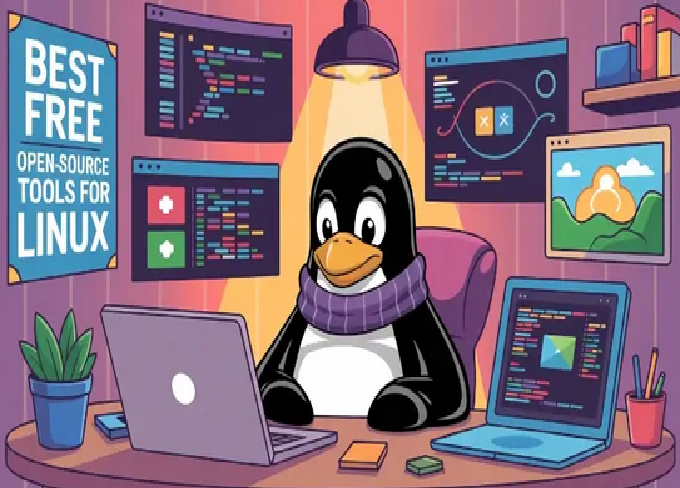
Linux has always been known as the land of free and open source software (FOSS). From developers to system administrators and even casual users, Linux offers a wide range of powerful applications that rival – and often surpass – their commercial counterparts. Whether you use Linux for coding, multimedia, or general productivity, there are countless tools that can enhance your experience without costing a penny.
In this article, we’ll explore the top 10 free and open source software every Linux user should know about in 2025. Each of these tools is reliable, feature-rich, and backed by a strong open source community.
1. LibreOffice – The Complete Office Suite
When it comes to productivity, LibreOffice is the go-to office suite for Linux users. It’s a powerful, open source alternative to Microsoft Office that includes a word processor, spreadsheet program, presentation tool, and more.
Key Features:
-
Writer for documents (alternative to MS Word)
-
Calc for spreadsheets (alternative to MS Excel)
-
Impress for presentations (alternative to MS PowerPoint)
-
Draw for diagrams and flowcharts
-
Base for database management
-
Math for creating mathematical formulas
LibreOffice supports a wide range of file formats, including Microsoft’s DOCX, XLSX, and PPTX. The interface has improved significantly over the years, offering a modern and clean design.
Whether you’re a student, office worker, or writer, LibreOffice gives you everything you need to handle your daily documentation tasks without paying for a license.
2. GIMP – Professional Image Editing Tool
If you’ve ever used Adobe Photoshop, you’ll be pleasantly surprised by what GIMP (GNU Image Manipulation Program) can do. It’s a powerful and flexible image editor that’s completely free and open source.
Key Features:
-
Advanced photo retouching and image composition
-
Layer and mask support
-
Plugins and extensions for customization
-
Color correction and digital painting tools
-
Supports popular file formats (JPEG, PNG, PSD, etc.)
GIMP is perfect for photographers, graphic designers, and illustrators who want professional-grade tools without the high cost. It’s available in most Linux distributions by default or can be installed easily via the package manager.
3. VLC Media Player – The Ultimate Media Solution
When it comes to playing videos and audio, VLC Media Player is an all-time favorite across platforms. It’s lightweight, fast, and supports almost every media format imaginable.
Key Features:
-
Plays all popular video and audio formats without extra codecs
-
Supports subtitles, streaming, and DVD playback
-
Customizable skins and extensions
-
Hardware acceleration for smoother playback
-
Network streaming (play media directly from URLs)
VLC isn’t just a player; it can also convert media files, record your screen, and stream content over a network. For Linux users, VLC is a must-have multimedia tool.
4. Audacity – Audio Recording and Editing
For anyone interested in music production, podcasting, or sound editing, Audacity is the perfect open source companion. It’s one of the best free digital audio editors for Linux.
Key Features:
-
Record live audio from microphone or mixer
-
Edit sound files with cut, copy, and paste functions
-
Apply effects such as fade, echo, and noise reduction
-
Supports multiple tracks and formats
-
Export to MP3, WAV, FLAC, and more
Audacity’s intuitive interface and powerful features make it ideal for both beginners and professionals. Whether you’re editing a podcast episode or cleaning up old recordings, Audacity delivers outstanding results.
5. Blender – 3D Modeling and Animation Powerhouse
If you’re into 3D modeling, animation, or video editing, Blender is one of the most impressive open source tools ever created. It competes directly with high-end commercial software like Autodesk Maya and Cinema 4D.
Key Features:
-
Full 3D pipeline: modeling, sculpting, rigging, animation, and rendering
-
Real-time preview with Eevee render engine
-
Advanced physics and simulation tools
-
Built-in video editor
-
Supports Python scripting for automation
Blender is used by artists, filmmakers, and game developers worldwide. Its open source community frequently releases updates and tutorials, making it easier for newcomers to learn.
6. Mozilla Firefox – Secure and Customizable Web Browser
For browsing the web, Mozilla Firefox remains a top choice among Linux users. It’s fast, privacy-focused, and completely open source.
Key Features:
-
Enhanced tracking protection for privacy
-
Sync bookmarks and history across devices
-
Hundreds of extensions and themes
-
Developer tools for web testing and debugging
-
Frequent updates and strong security features
Firefox supports modern web standards and offers full customization through its open ecosystem. It’s one of the best browsers for both everyday users and web developers who prioritize speed and privacy.
7. Thunderbird – Powerful Email Client
Managing multiple email accounts can be a hassle, but Thunderbird makes it simple. Developed by Mozilla, Thunderbird is an open source email client that supports modern features and strong security.
Key Features:
-
Multiple email account management (POP, IMAP, Exchange)
-
Built-in calendar and task manager
-
Add-ons and themes for personalization
-
Spam and phishing protection
-
Encryption and digital signature support
Thunderbird is ideal for professionals and organizations who prefer a desktop-based email client. It’s lightweight, reliable, and integrates well with various mail servers.
8. Inkscape – Vector Graphics and Illustration Tool
If you work with vector graphics, logos, or digital art, Inkscape is the open source tool you need. Comparable to Adobe Illustrator, Inkscape offers a powerful set of drawing tools for creating scalable artwork.
Key Features:
-
Create and edit vector images (SVG, EPS, PDF formats)
-
Advanced object manipulation and node editing
-
Text tools and path operations
-
Bitmap tracing for converting raster images to vectors
-
Compatible with graphic tablets
Inkscape is a favorite among designers who value precision and scalability. It’s perfect for creating icons, UI elements, technical diagrams, or detailed illustrations.
9. Krita – Digital Painting and Concept Art Tool
For artists focused on digital painting and illustration, Krita offers an incredible open source platform. It’s specifically designed for concept artists, illustrators, and comic creators.
Key Features:
-
Brush stabilizers and realistic brush engines
-
Layers, masks, and blending modes
-
Animation and frame-by-frame drawing support
-
HDR painting and color management
-
Clean, distraction-free interface
Krita stands out because it’s developed by artists, for artists. It provides professional-grade tools that rival commercial software like Corel Painter or Adobe Fresco.
10. VirtualBox – Run Multiple Operating Systems
Last but not least, VirtualBox is a free virtualization tool that allows you to run multiple operating systems on your Linux machine. Whether you need to test software or run Windows applications, VirtualBox makes it easy.
Key Features:
-
Create and manage virtual machines (VMs)
-
Supports Windows, macOS, and other Linux distributions
-
Snapshot feature for saving VM states
-
Shared folders and drag-and-drop between host and guest
-
Command-line control and networking options
Developers, system admins, and testers rely on VirtualBox for creating isolated environments without needing separate hardware. It’s an essential tool for experimentation and development.
Additional Mentions (Bonus Tools)
Apart from the top 10, there are many other open source applications worth mentioning:
-
Kdenlive – Advanced video editor for Linux.
-
Shotcut – Lightweight video editing tool.
-
OBS Studio – Screen recording and streaming software.
-
KeePassXC – Secure password manager.
-
qBittorrent – Open source torrent client.
-
Neovim / Visual Studio Code OSS – Advanced text editors for developers.
These tools showcase the versatility and creativity of the Linux open source ecosystem.
Why Choose Open Source Software on Linux?
There are several compelling reasons to prefer open source software over proprietary options:
1. Cost-Free and Accessible
All the tools listed above are completely free to use. You can download, install, and modify them without paying for licenses or subscriptions.
2. Transparency and Security
Since the source code is open to everyone, users can inspect it for vulnerabilities, ensuring better security and privacy compared to closed software.
3. Community Support
Open source projects thrive on strong communities. Forums, wikis, and documentation make troubleshooting and learning easier for new users.
4. Customizability
Linux users love to tweak and personalize. Open source software gives you full control over how the software behaves, looks, and integrates into your system.
5. Performance and Stability
Open source software often runs faster and more efficiently on Linux because it’s optimized by and for the community. Regular updates ensure stability and long-term support.
How to Install Open Source Software on Linux
Most Linux distributions provide an easy way to install software through their package manager. Here are a few examples:
-
Ubuntu / Debian:
-
Fedora:
-
Arch Linux:
You can also download the software directly from official websites or install through Flatpak and Snap stores, which make managing applications across distributions simpler.
Tips for Getting the Most Out of Linux Software
-
Keep your system updated – Regular updates ensure you have the latest security patches and features.
-
Use the terminal – Many open source tools provide command-line utilities that make automation easier.
-
Explore community forums – Join subreddits, forums, or Discord servers related to your favorite apps.
-
Contribute back – Report bugs, suggest features, or even help with translations if you can.
-
Backup configurations – If you customize tools heavily, save your config files to reuse on other systems.
Final Thoughts
Linux’s open source ecosystem is one of its biggest strengths. From office productivity to creative design, from multimedia to virtualization – you can find a free, open source tool for almost every purpose.
The top 10 free and open source software for Linux users listed above represent the very best of what the community has to offer:
-
LibreOffice – Productivity suite
-
GIMP – Image editing
-
VLC – Media playback
-
Audacity – Audio editing
-
Blender – 3D modeling and animation
-
Firefox – Web browsing
-
Thunderbird – Email management
-
Inkscape – Vector design
-
Krita – Digital painting
-
VirtualBox – Virtualization
Whether you’re a new Linux user or a seasoned pro, these applications will empower you to work, create, and explore the digital world with freedom and flexibility.